
Creating an FTO analysis using the Deep Research Agent
A step-by-step guide for patent professionals
When expanding into new markets, understanding your freedom to operate (FTO) is crucial for avoiding costly legal pitfalls and ensuring smooth product launches. FluidityIQ’s Deep Research Agent streamlines the FTO analysis process by harnessing advanced search capabilities and access to an extensive database of patents. In this training guide, we’ll walk you through how to leverage FluidityIQ’s interactive tools to systematically identify, evaluate, and document active patent claims relevant to your product, helping you make confident, informed decisions as you scale your business globally.
Getting started with a search strategy
Craft a search strategy to identify active patent claims covering your product’s features in order to analyze your ability to sell your product or service into one or more new jurisdictions. In this example, we are analyzing the ability of a U.S. based food company to sell its sugarless chewing gum into other markets. The idea for this example uses expired patent US4271197A assigned to Life Savers, Inc. as the basis for this FTO search. This patent expired June 21, 1999.
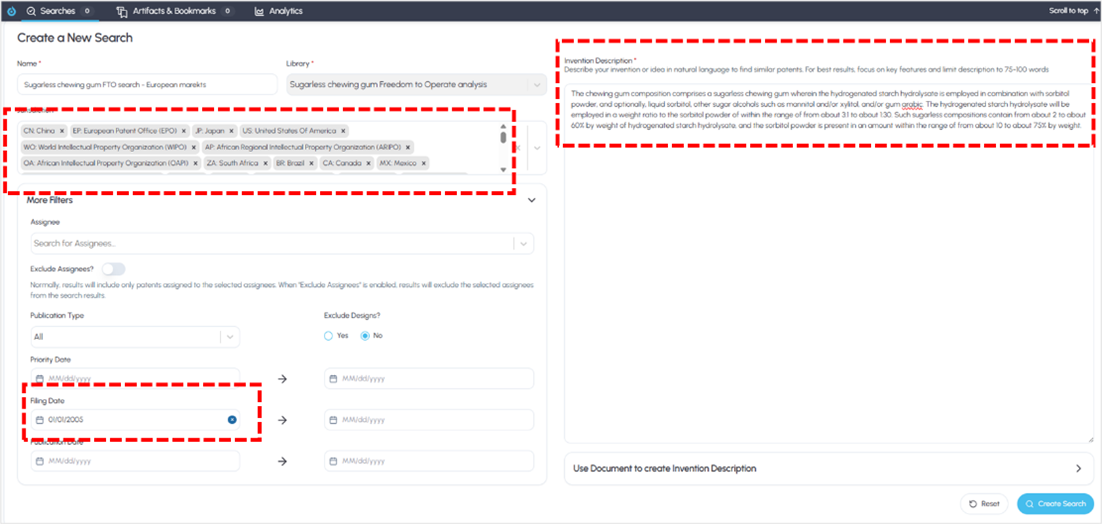
Creating a search strategy
As such, we conducted a global search for patents filed globally within the past 20 years that are substantially similar to our target invention (see above). This creates a corpus of up to 1,000 relevant patents for review on the Results page (below).
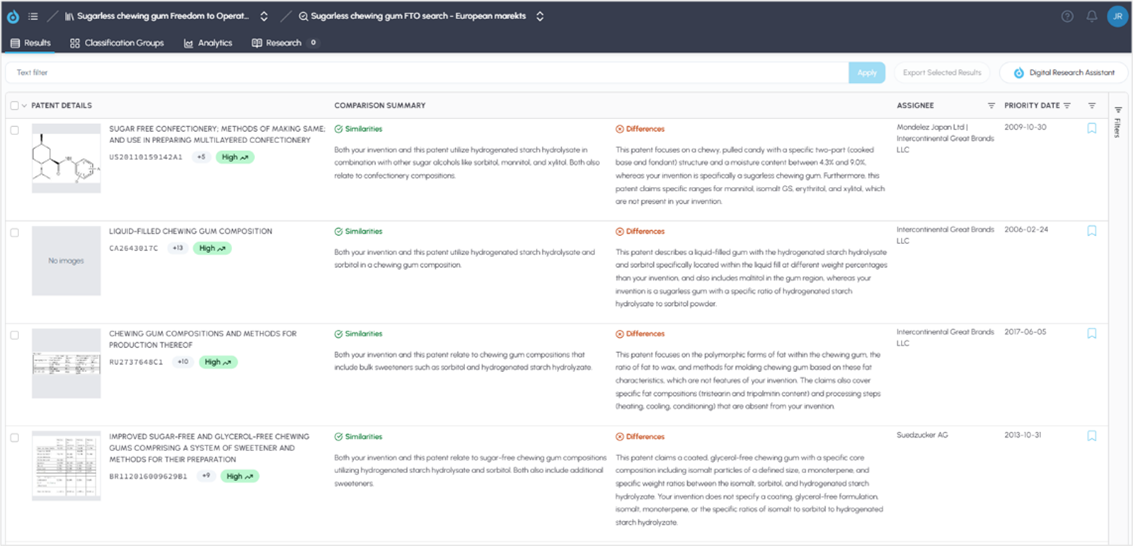
Search results
To use the Deep Research Agent to complete the analysis, click on the Research link on the top of the results. You can create multiple searches in your Private Innovation Library if you are trying to analyze more than one feature in more detail.
Creating an FTO analysis
When your search results are loaded, you will need to evaluate the references using the tools provided on the platform. For example, do the patents in the results deal generally with the area of technology? Are some of the core features in your search strategy included? The search strategy itself is designed to establish a relevant corpus of knowledge to support your deeper analysis.
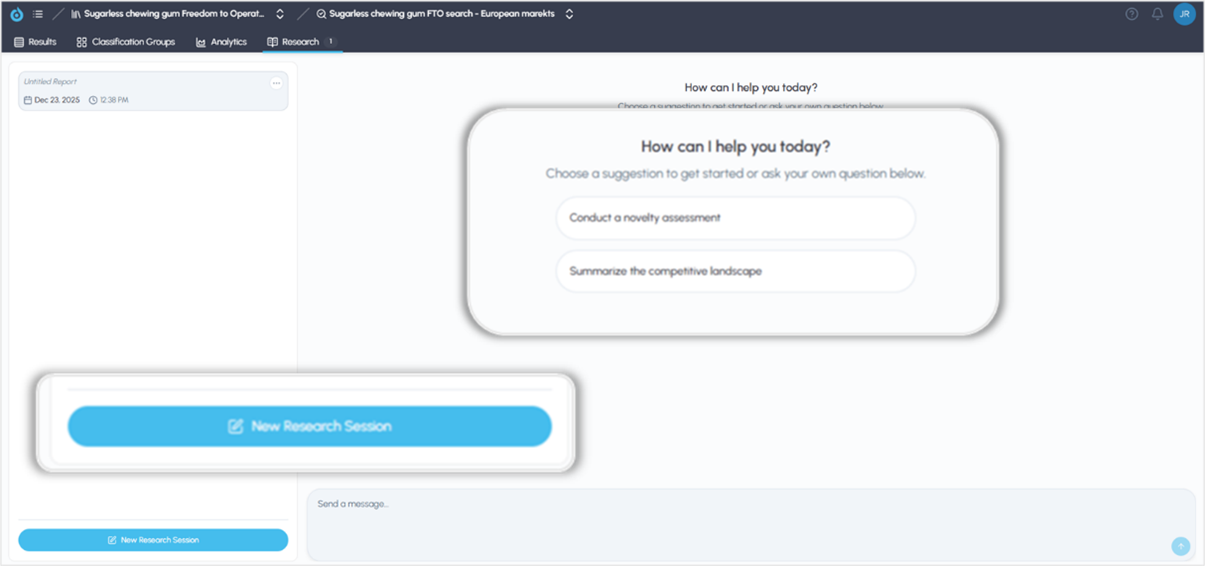
Creating a research report with the Deep Research Agent
Once on the Research page, you have the option of using our Starters, or “shortcuts” to build an assessment using our expertly developed prompts. You can also create your own prompts by entering them in the chat box at the bottom of the page. The Deep Research Agent is aware of your invention description and the search results as shown on the Results page that you used to create a corpus of knowledge to support your FTO analysis. The Deep Research Agent is interactive. As such, you will be prompted to answer a few questions and can modify or customize the focus of the report using natural language instructions.
At the bottom of the page where the agentic report is generated, you will find interactive links to the Sources that are included. Each source document used in the report will appear as a hyperlink in the Sources section at the end of each report and can be accessed by clicking on the links individually (see below). Beneath that, you may choose to copy the report (to insert into an email or document) or export it into a presentation-ready PDF using the icons at each report’s end.
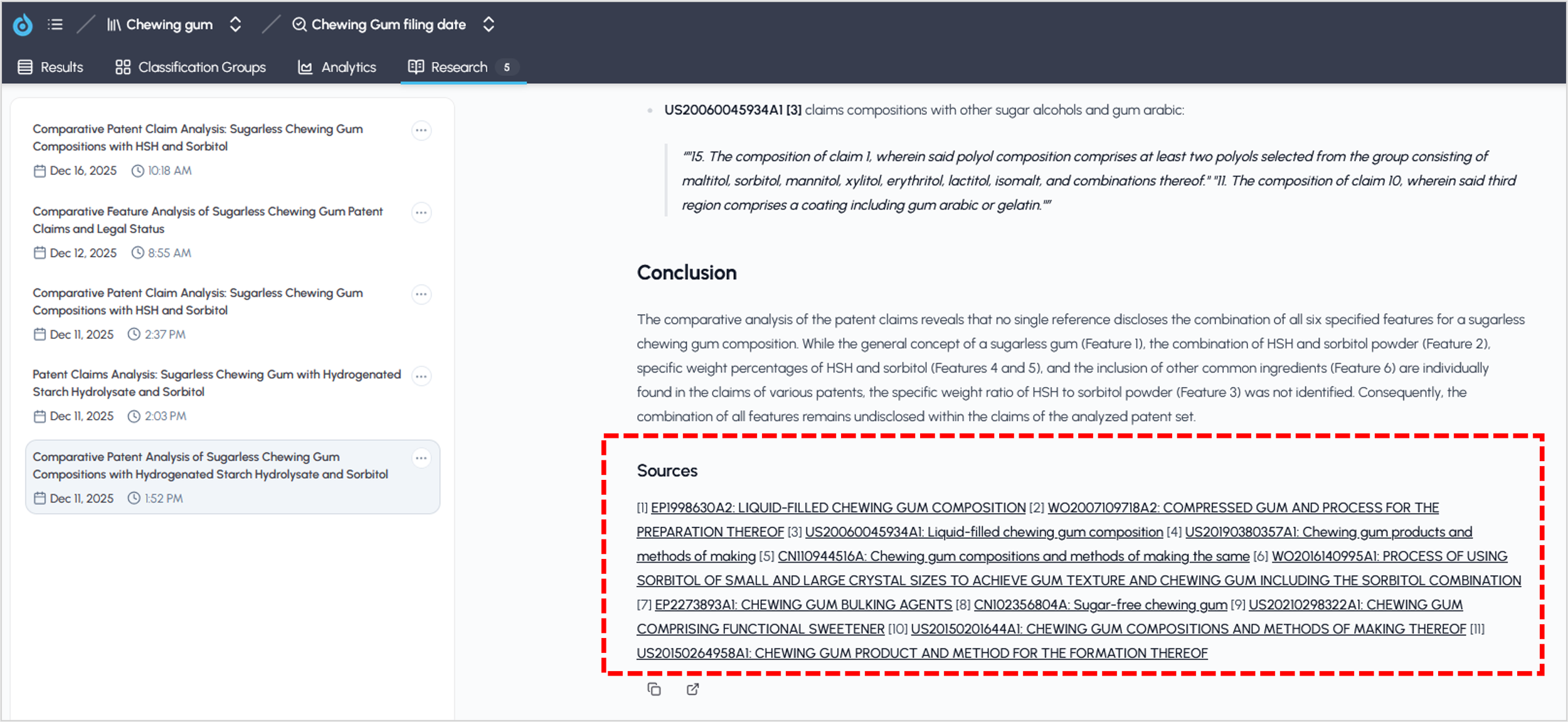
Links to source documents
Conclusion
Utilizing the Deep Research Agent streamlines the FTO analysis process by offering intuitive tools and interactive prompts to guide your assessment. By leveraging a targeted patent corpus you can produce targeted, actionable reports tailored to your product’s market expansion goals. With features like customizable searches, direct access to supporting sources, and easy export options, FluidityIQ empowers you to confidently manage your risk and make informed decisions as you enter new jurisdictions.